Creating Textures for character
Following my previous Idea, I wanted to keep my scene somewhat cartoon like.
I decided to keep my character in solid colours, I started by unwrapping my character. I created seams around the characters body so that I could colour in the different parts in Photoshop.
I unwrapped my character using a Addon called auto UV unwrap. It unwraps the character but you have to place the seams around the character to get a decent unwrap.
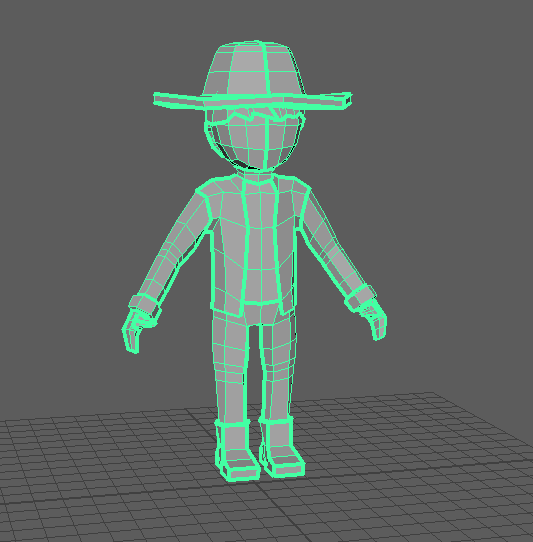
Where there are large green lines, That is where I have placed the seams. I then saved the UV image generated from this and started colouring in Photoshop.
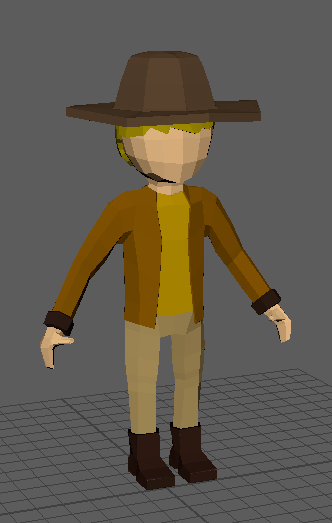
Heres what the character looked like when it is textured.
At this point I felt happy about how the character looked, but I felt like it could look alot better. I wanted to make the character look like it came from a cartoon where it looked kind of blocky but you couldnt see the edges of the character as much. I wanted it to look flat and two toned.
To get this look I needed to access a different shelf, to do this use the drop down menu on the top left.
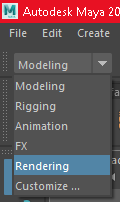
In the rendering shelf I was able to find the options I wanted.
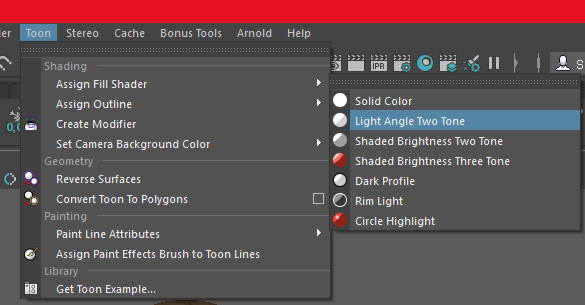
In the toon tab, I can enable the two tone shading for an object that is selected.
I did this for my character, sadly this meant I had to texture the character again, since applying this shader also applies a different material.
I separated my character apart, so that I could colour the character in differently and ended with this;
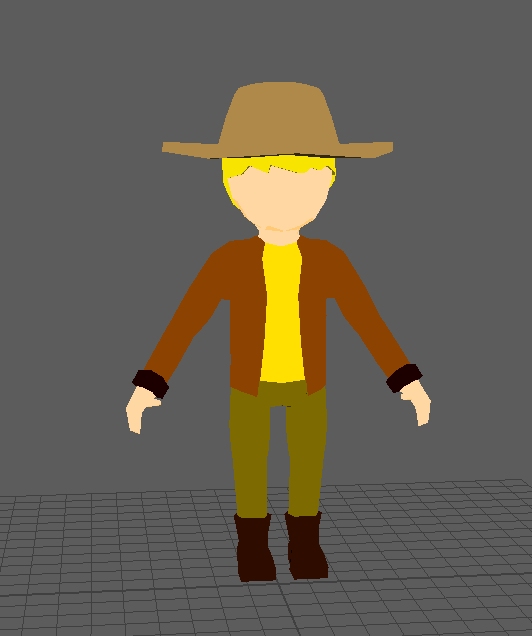
Now I feel the character looks a lot better and more cartoon like. This was exactly what I had in mind and i'm happy with the results. Despite this there was one more thing that was missing from the character. Toon shading looks quite nice but sometimes when animated it might look quite too flat and sometimes you wont actually tell what the animation is. To avoid this and also make the model look alot better, I added a final option for the character.
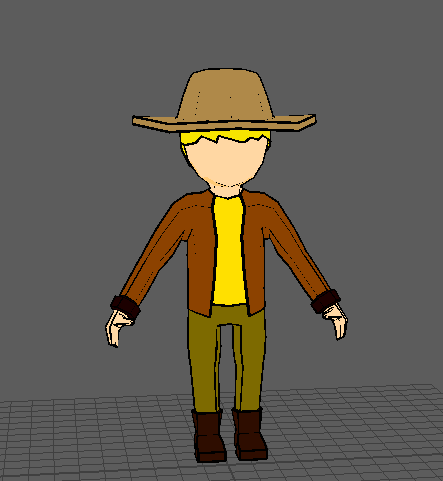
I added toon shader outlines. I feel like this makes the character look so much better but also helps for when animating, it keeps the model from looking to weird during movement, so viewers can actually tell what the characters movements are.
I decided to keep my character in solid colours, I started by unwrapping my character. I created seams around the characters body so that I could colour in the different parts in Photoshop.
I unwrapped my character using a Addon called auto UV unwrap. It unwraps the character but you have to place the seams around the character to get a decent unwrap.
Where there are large green lines, That is where I have placed the seams. I then saved the UV image generated from this and started colouring in Photoshop.
Heres what the character looked like when it is textured.
At this point I felt happy about how the character looked, but I felt like it could look alot better. I wanted to make the character look like it came from a cartoon where it looked kind of blocky but you couldnt see the edges of the character as much. I wanted it to look flat and two toned.
To get this look I needed to access a different shelf, to do this use the drop down menu on the top left.
In the rendering shelf I was able to find the options I wanted.
In the toon tab, I can enable the two tone shading for an object that is selected.
I did this for my character, sadly this meant I had to texture the character again, since applying this shader also applies a different material.
I separated my character apart, so that I could colour the character in differently and ended with this;
Now I feel the character looks a lot better and more cartoon like. This was exactly what I had in mind and i'm happy with the results. Despite this there was one more thing that was missing from the character. Toon shading looks quite nice but sometimes when animated it might look quite too flat and sometimes you wont actually tell what the animation is. To avoid this and also make the model look alot better, I added a final option for the character.
I added toon shader outlines. I feel like this makes the character look so much better but also helps for when animating, it keeps the model from looking to weird during movement, so viewers can actually tell what the characters movements are.
Comments
Post a Comment